Important Information
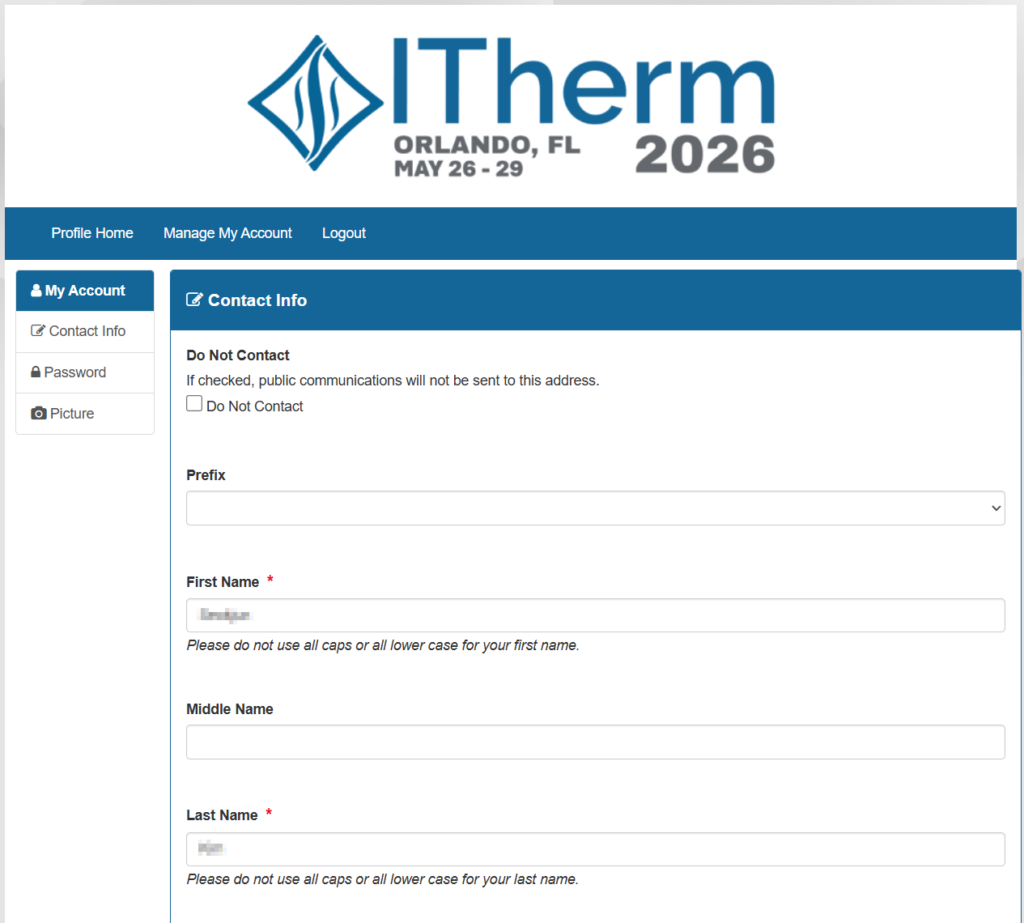
- See the detailed instructions regarding presentation preparation, upload and biography update in the following sections.
- Upload your presentation to the XCD latest by 5:00 PM (EDT) the night before your presentation.
Confirm Presentation Slot and Connect with Chair
- Review the online program. Make sure you know when you will be presenting.
- Reach out to your session chairs and introduce yourself and provide any relevant information for the presentation.
- Confirm that you will be attending the speaker’s breakfast on the day of your presentation to check-in with the session chairs and confirm that you are all set.
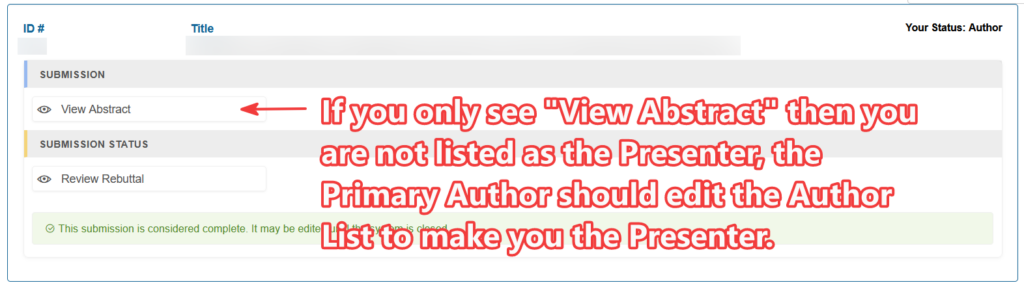
- IMPORTANT: If someone other than the person listed below will be presenting your paper:
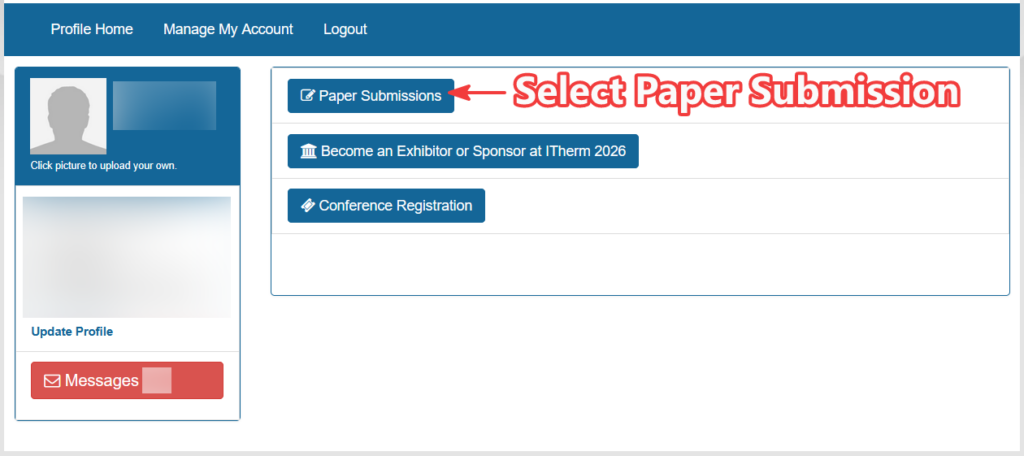
- Log into your XCD account
- Select “Paper Submissions”
- Click the “Authors” Button
- Select “Make Primary Presenter” for the appropriate co-author
- If the presenter is not listed as an author, add them as a co-author at least until after your session has finished.
Day of the Presentation
- Attend the speaker’s breakfast in Palazzo EFGH from 7:00 am to 8:00 am.
- Find the table with your session number.
- If you have any questions regarding the session, please get them answered now.
- Go to your assigned room at least 10 minutes before the session start time.
- Present your paper at the start time shown in the final program. Do not skip presentations or start early as attendees may move between sessions to see particular talks they are interested in.
- The session chair will have a timer set up for 12 minutes. Please respect the timer and cues provided by the session chairs to wrap up your talk.
Verify/Update Listing in Program
Locate your presentation in the online program: https://www.xcdsystem.com/itherm/program
For each of your submissions, verify:
- Title (consistent with final paper)
- Authors (correct order, spelling, and capitalization)
- Abstract (consistent with final paper)
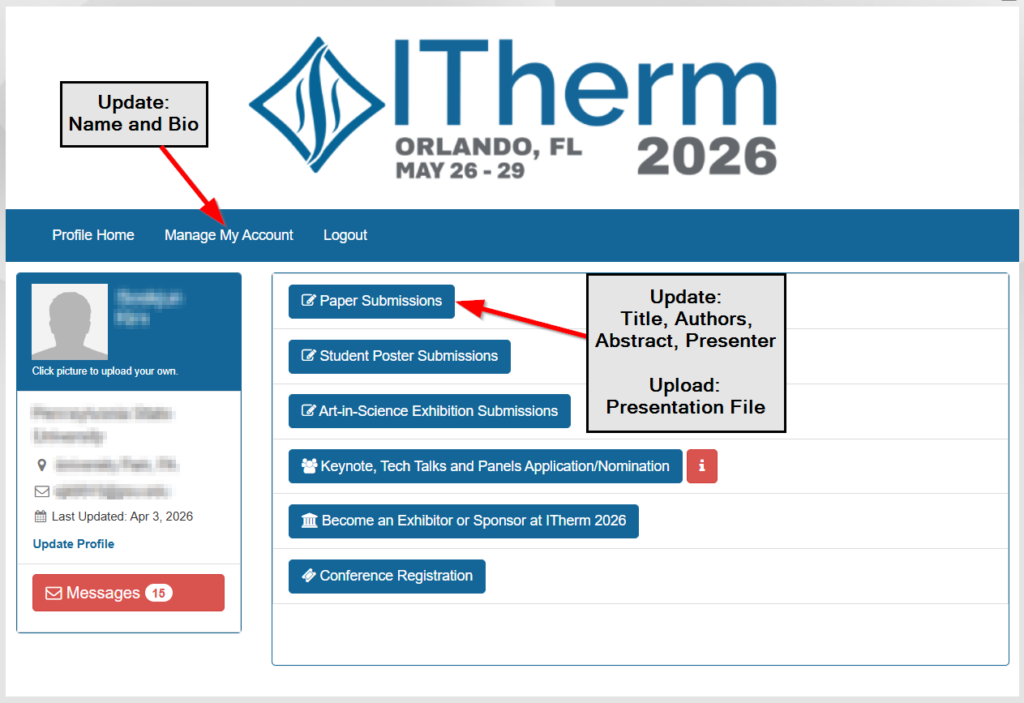
Update any incorrect information through the X-CD portal: https://www.xcdsystem.com/itherm
Preparation of Presentations
- You are free to use one of the templates linked below. This is not a requirement, and you may choose to use your own template if desired.
- Avoid commercialization and instead focus on technical background, methods, key results and conclusions.
- Prepare your presentations so you can cover the material in 12 minutes with an additional 3 minutes for the intro and questions.
- Presentations should be in .ppt, .pptx or .pdf format.
- The maximum file size is 100 MB.
- Use the following file naming convention for presentations:
- paper#-session#-shorttitle.ppt
- example: 214-EF-03-BoilingFilm.pptx
- example: 54-ST-10-ImmersionServer.pdf
Uploading your material
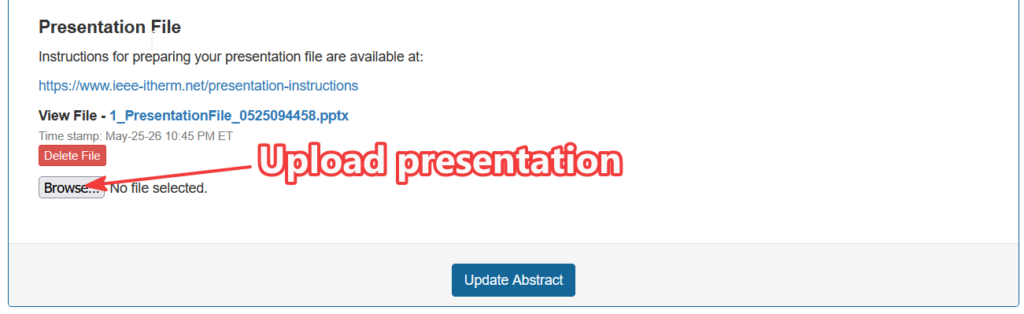
- You must upload your presentation files to the X-CD portal.
- There will be no exchanging presentation files at the speaker’s breakfast or use of USB sticks at ITherm this year. You must use the procedure described here.
- You cannot use your own computer for presentations.
- Presentations and bios must be uploaded to X-CD by 5:00 PM (EDT) on the day before your presentation. Presentations will be moved to the conference laptop before your session.
- The maximum file size is 100 MB.
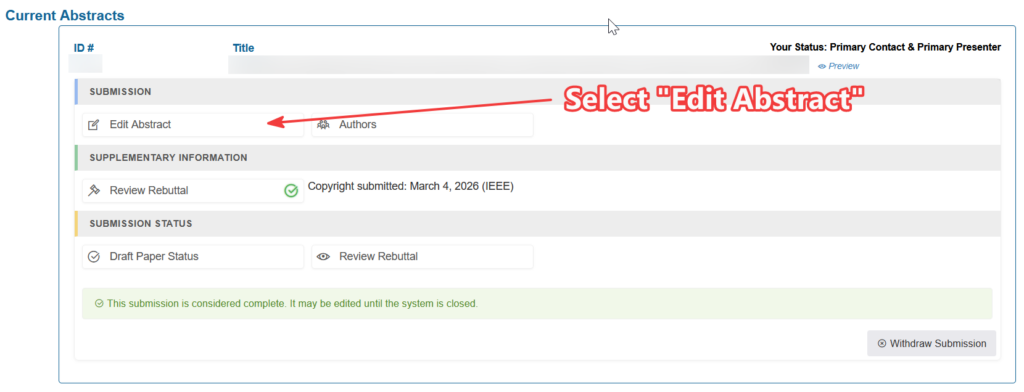
- Only the Presenting Author will have access to upload the file. If you do not see an “Edit Abstract” button on your “Papers Submissions” page and you are the presenter, have the primary author of your paper update the Authors list to make you the presenter.
Speaker Biography
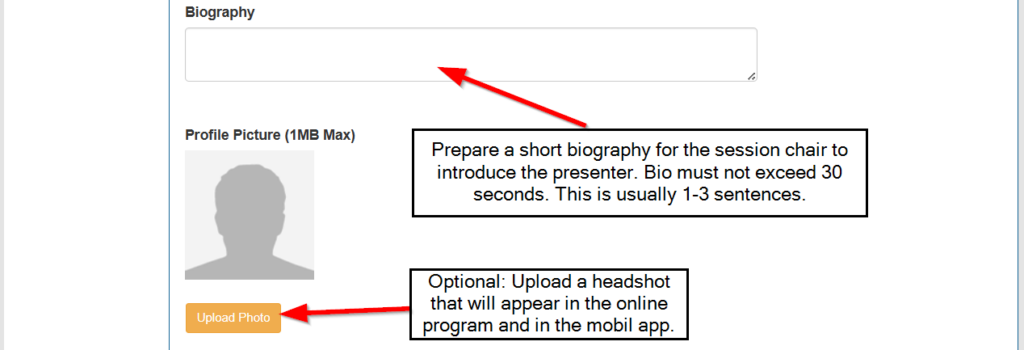
- Update the your X-CD profile with a short biography for the session chair to introduce the presenter.
- Bio must not exceed 30 seconds.
- This is usually 1-3 sentences.